Your reps shouldn't start the day with a blank screen and eleven browser tabs. For too long, that's been the reality, jumping between a data tool here, a CRM there, a signal tracker somewhere else. Eleven tools, eleven islands of context, and a human stuck in the middle trying to stitch them together.
We heard it loud and clear. We analysed 2,311 support threads and mapped over 967 product feedback signals. The message wasn't "give us more features." It was "give us less friction."
So we built the Bizzy Sales Workspace: a single place where high-quality European data, live buying signals, and automated activation come together. Not another tool for the stack. A workspace that replaces the stack.
One Place to Start Your Day
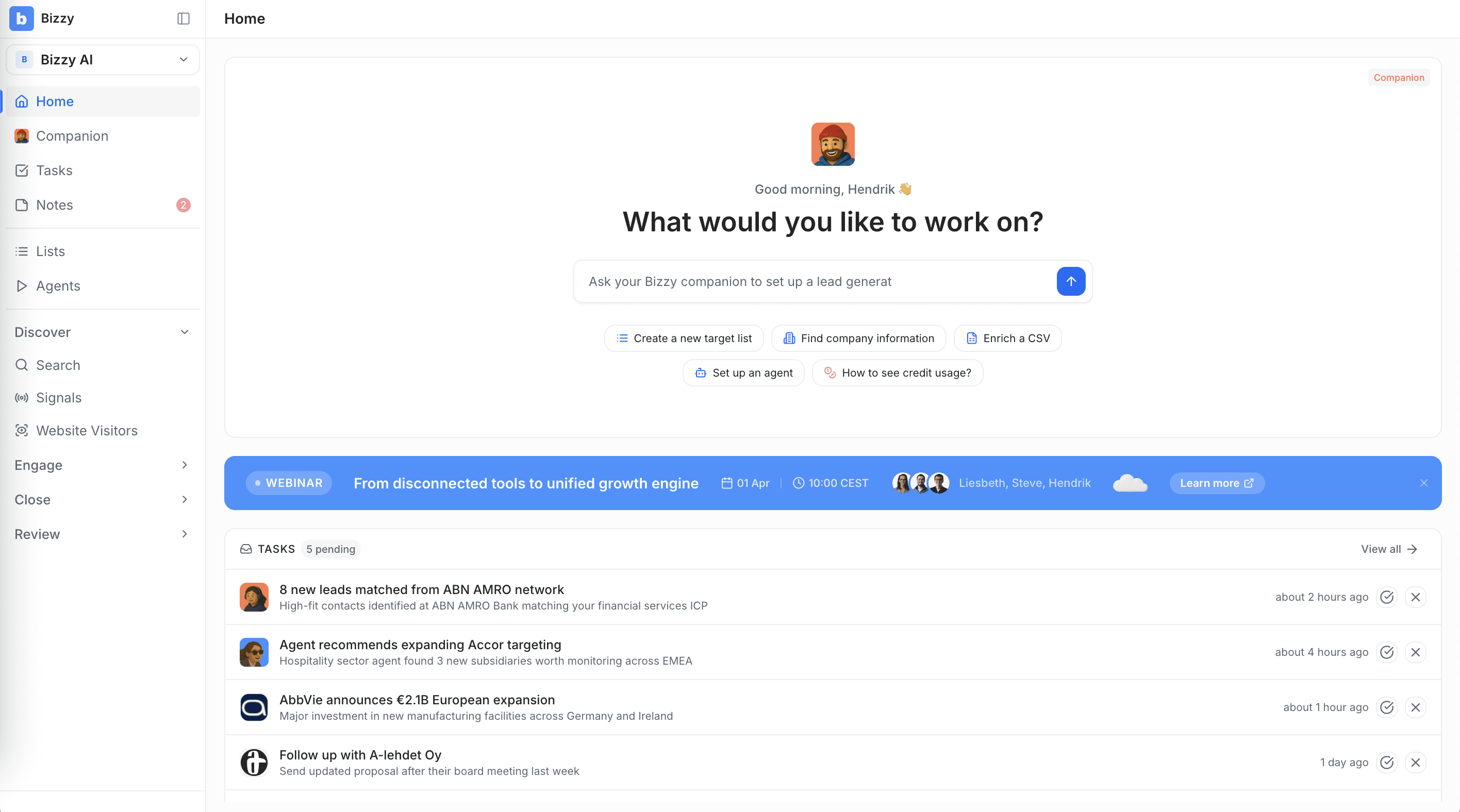
The Workspace is designed to be where your reps actually want to spend their morning. Open it up, and a personalised Home Dashboard shows what matters right now: pending tasks, quick actions, recently viewed accounts, and an AI companion for fast answers.
From there, everything flows through Tasks, a centralised inbox that collects all pending actions from your AI Agents, CRM sync, and workflows. Instead of checking each agent separately, every lead to review, every CRM change to approve, every follow-up to manage lands in one prioritised feed.
Organise your efforts into distinct workspaces for different teams, territories, or campaigns. Move companies through stages visually with Kanban lists, from "New" to "Contacted" to "Qualified", with simple drag-and-drop. Keep all context on a lead in one place with shared notes, tagged colleagues, and a full interaction history. All before anything touches your CRM.
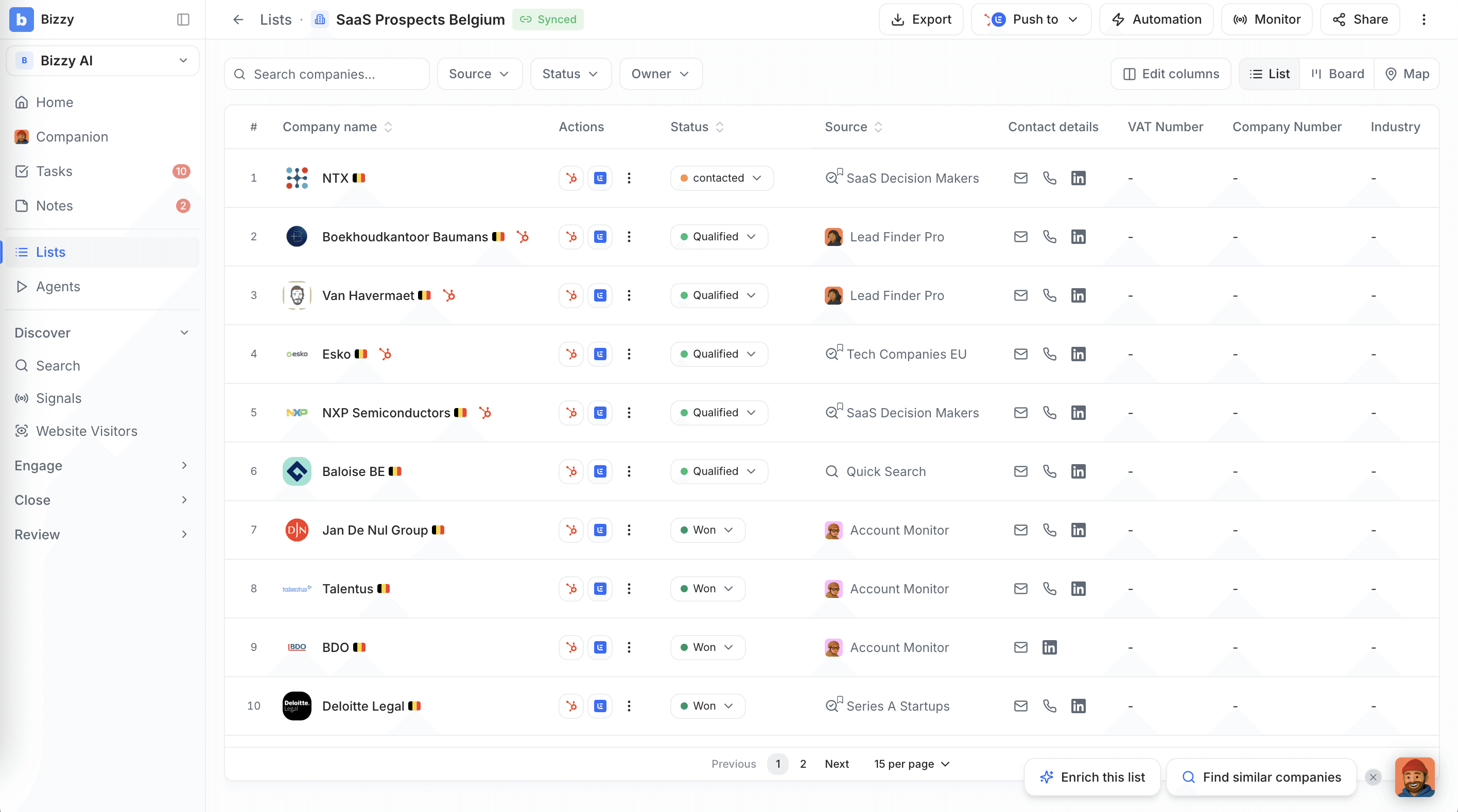
This is a pre-CRM workspace. It keeps your main CRM clean and focused on active deals, while giving reps the space to prospect and qualify without creating noise downstream.
European Data You Can Actually Trust
The GDPR-compliant European B2B data you already know is the foundation, and it just got sharper. We've transparently separated our data architecture so you always know the origin of every data point.
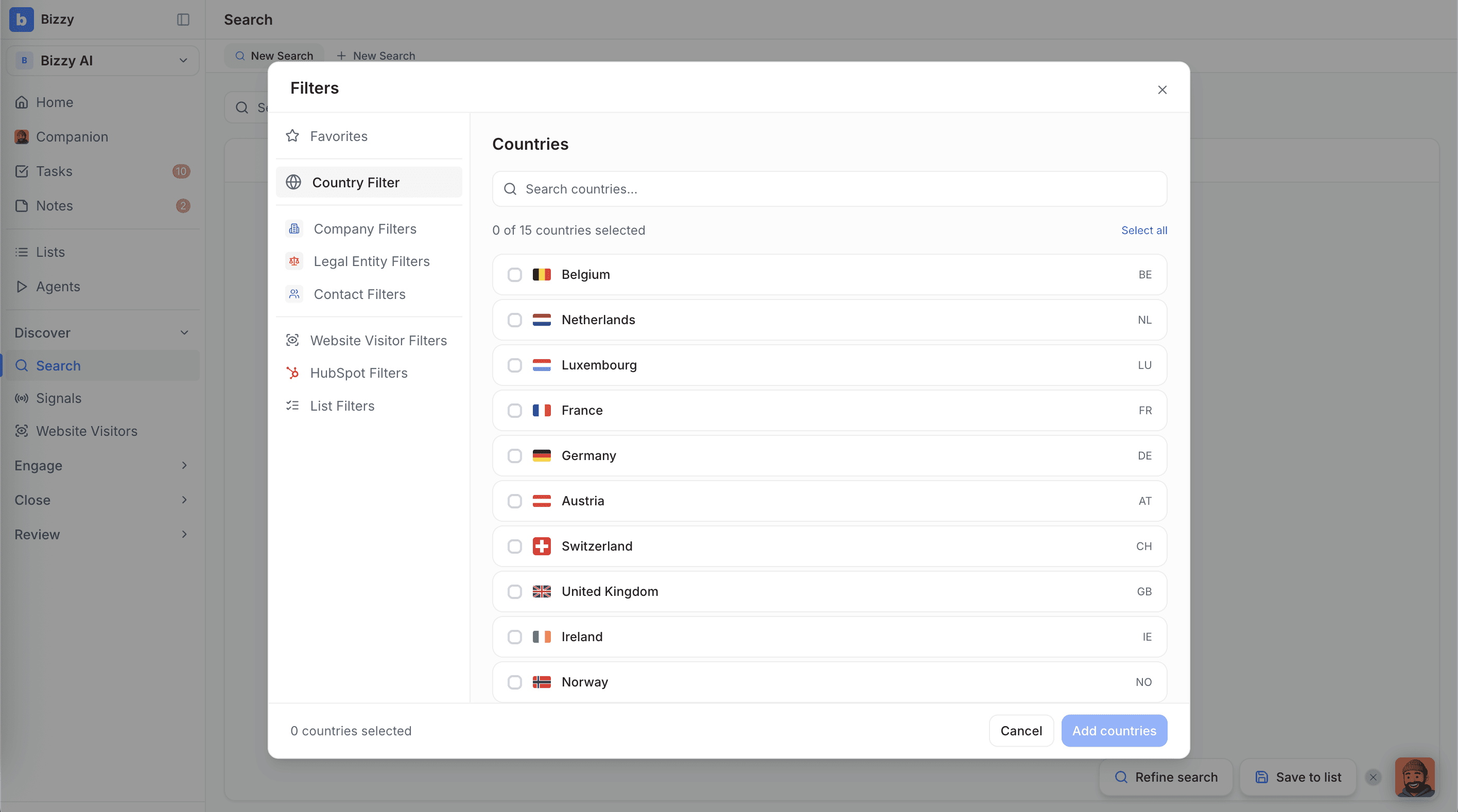
Over 54 search filters, including 42 financial and legal exclusives, across 15 European countries. The new search supports three entity types (Companies, Legal Entities, Contacts) with filter categories, quick-filters, and multi-tab parallel searches. Your saved searches have been migrated automatically.
Company Pages vs. Legal Entity Pages
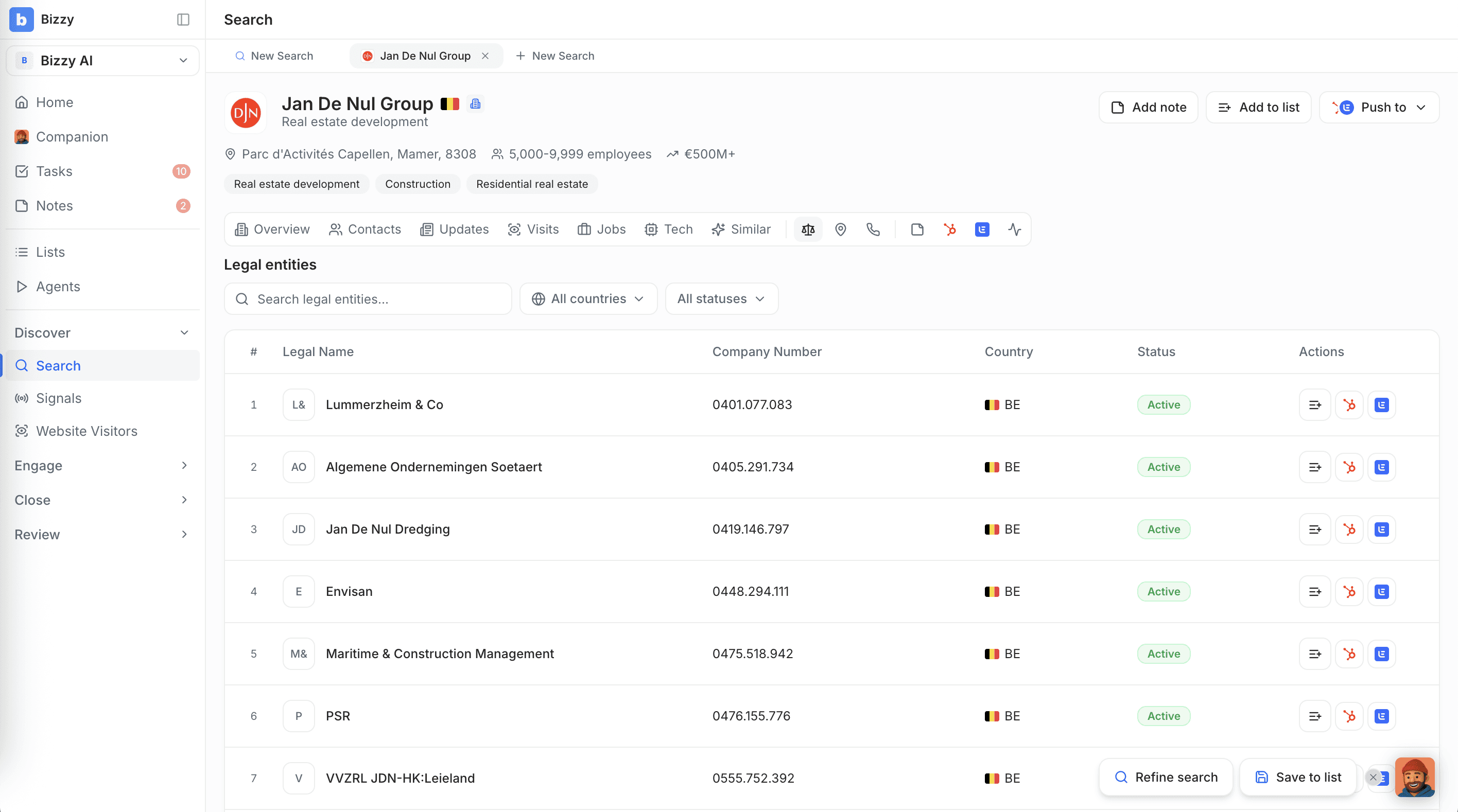
Most sales tools treat "Colruyt Group" as one thing. Reality is messier. The Colruyt Group brand is actually made up of many separate legal registrations, "Etn. Fr. Colruyt NV," "Colruyt Group Services NV", each with its own financials, directors, and credit score.
The Workspace models this properly:
A Company Page shows the commercial brand: website, LinkedIn, news, group-wide employee count, contacts, tech stack, website visits. It's the 30,000-foot view of the organisation you're selling to.
A Legal Entity Page shows the official registry entry: VAT number, legal form, financial filings, credit score. Bizzy's 42 unique financial and legal filters work at this level.
When to use each: Selling an HR solution to all of Colruyt Group? Start with the Company Page and find group-level decision-makers. Want to place a product in Colruyt stores in Antwerp specifically? Use the Legal Entity Page to find the right subsidiary, check its financial health, and find the local manager.
This clear separation prevents the data chaos that slows teams down, and it's something global tools simply can't do for European markets.
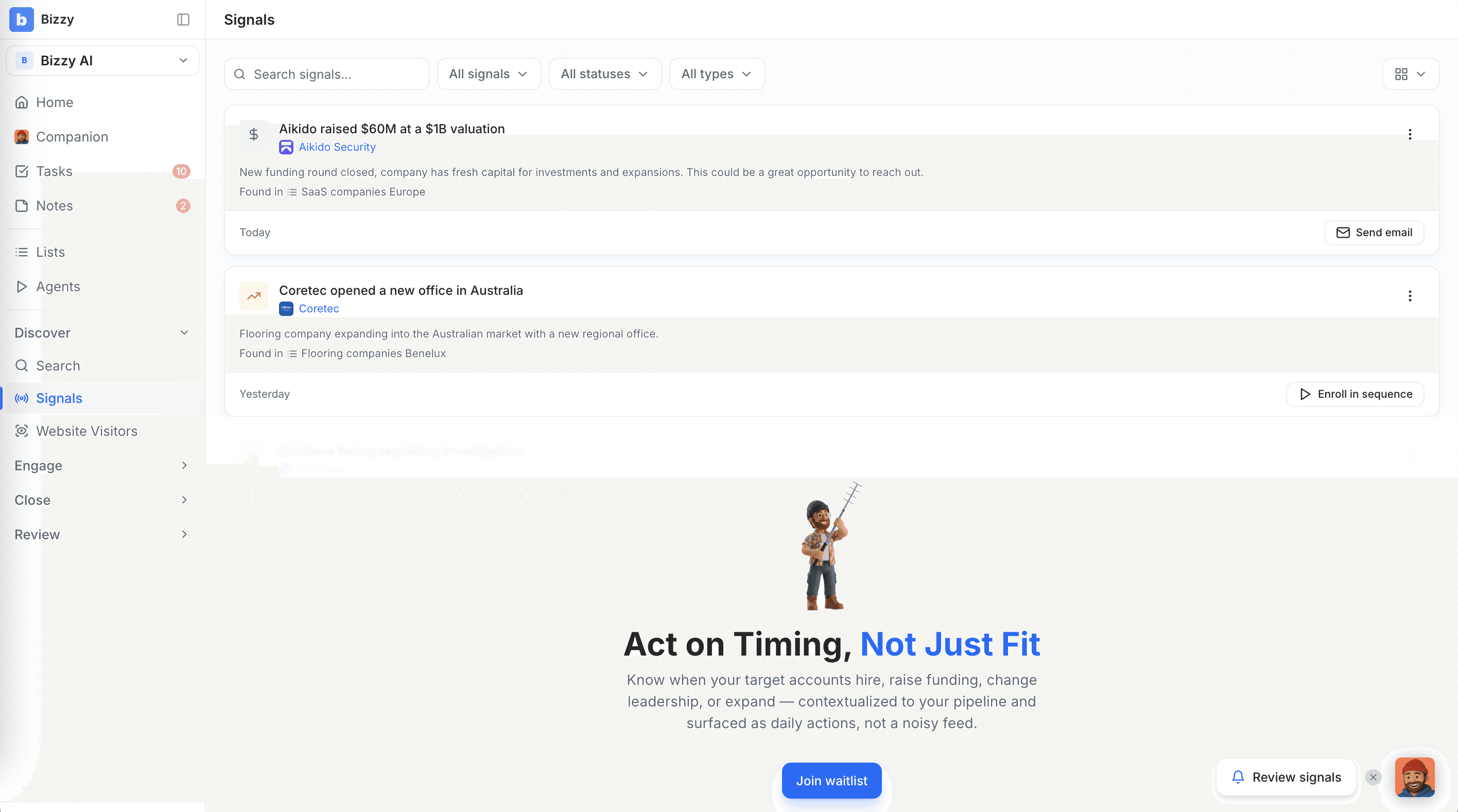
Signals: Act on Timing, Not Just Fit (coming soon)
Signals is a real-time buying intent tracker: funding rounds, hiring surges, office expansions, leadership changes, technology adoption. It helps your team act on the right moment, not just the right profile.
Signals is coming soon and will feed directly into your Tasks and Agent workflows when live.
What Stays the Same
We know a platform change raises questions. Here's what you need to know:
Your data is safe. All lists, notes, saved searches, enriched data, and agent configurations migrate automatically. You won't lose any work.
Your CRM integration carries over. HubSpot and other connections migrate with your account. We recommend verifying in Settings > Integrations after your first login, but nothing should break.
Your shortcuts still work. Cmd+K for search, F to decline a lead, J to approve, all the same.
Your website visitor tracking keeps running. If your Snitcher script is installed, it continues working. The Website Visitors page now shows pages viewed, visit duration, and source attribution.
Retraining is minimal. A 15-minute walkthrough covering the Home Dashboard, Tasks page, and new sidebar navigation is enough. Core workflows: search, review leads, export, are largely unchanged.
What's Changed (For the Better)
A few things moved around to make your workflow faster:
Search is now a direct sidebar item (not buried under "Lead database"). It supports three entity types with more powerful filtering and quick-filter chips for common criteria.
Lead Inbox is now part of Tasks, one centralised feed instead of checking each agent separately.
Exports now have a history dashboard showing past exports with credit usage, status, and download links.
Contacts have their own dedicated search tab with filters for job title, department, and seniority.
Agent detail pages have expanded from 4 to 7 tabs, giving you deeper control without losing your existing settings.
What Comes Next
This is just the beginning. Reports (team activity, pipeline health, leaderboard, agent performance) and Signals are marked "Coming Soon" in the interface, better, they're next in line, together with better CRM integrations. Self-serve sign-up and in-platform billing follow after that.
We're building one workspace that delivers real outcomes, not just data. And we're building it with you.
Let's go.