Why Sales Prospecting Takes So Many Browser Tabs (And What Changes When It Doesn't)
Most sales prospecting happens in a browser. A rep spends the day on LinkedIn and company websites, moving from profile to profile. But the actual research (figuring out whether an account is worth the effort) usually happens somewhere else: a data tool in one tab, a contact finder in another, a financials lookup in a third, the CRM in a fourth. The useful bits get copied back into a list by hand, one at a time.
It's slow, and it's where a surprising amount of the day quietly disappears. The fix isn't a faster version of the same research. It's having the two things reps act on most, the right contacts and the accounts already showing interest, appear on the page instead of being hunted down. Here's why the tabs pile up, and what changes when they don't.
Why sales prospecting ends up spread across so many tabs
Every tab in that stack exists to answer one question the last tab couldn't: what does this company do, who works there, is it actually worth pursuing, and how do I reach them. None of those answers live in the same place, so reps end up assembling a single decision from four or five different sources, then doing it again for the next two hundred companies on the list.
This is less about any one tool being bad and more about where the tools live. They were built as destinations you visit, not as something that shows up where the work already happens: on the LinkedIn profile or company page you're already looking at.
What it looks like when everything shows up in one panel instead
This is the problem the Bizzy browser extension was built to solve. Instead of a new tab, it's a sidebar that recognises the company on the page the moment it loads, on LinkedIn or on any company website, and brings the essentials to you instead of sending you looking for them.
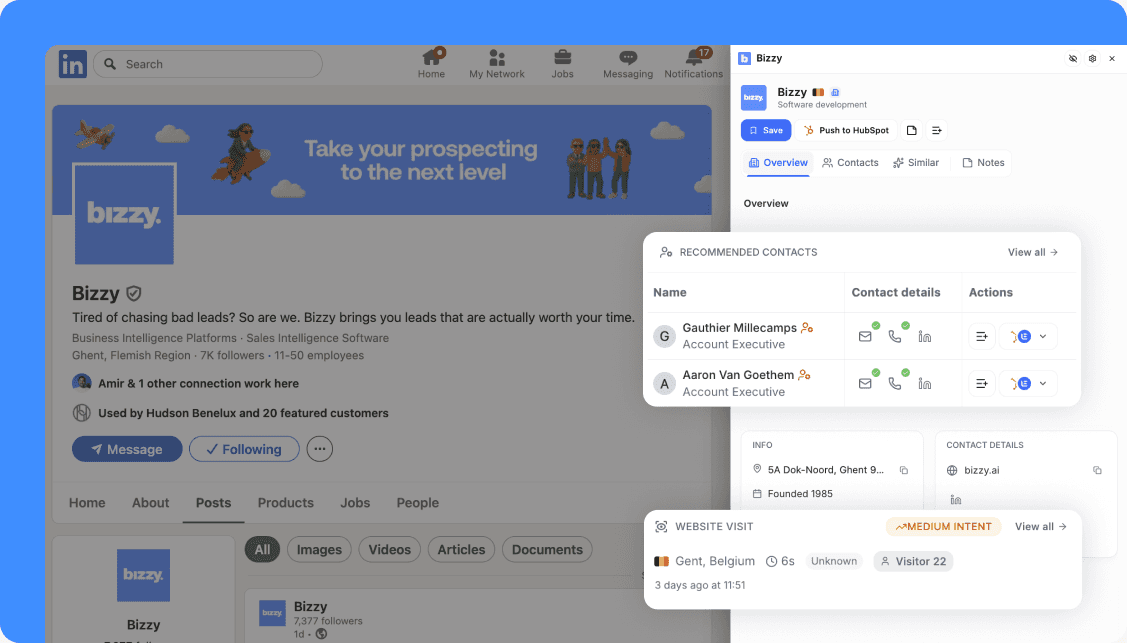
Recommended contacts, not a search box
The moment a company page loads, the sidebar already shows who to talk to. Bizzy surfaces recommended contacts based on your business goals, the decision-makers and roles that matter for how you actually sell, ranked and ready before you've typed a single query. No filtering, no guessing at job titles, no separate contact-finder tab. Each name comes with verified details, direct email, phone and LinkedIn, and you can add the ones you want to a list or push them to HubSpot in one click, without leaving the page.
Website visitor tracking that turns anonymous traffic into warm accounts
Most of the companies checking you out never fill in a form. Bizzy's website visitor tracking shows which companies already visited your site, what they looked at and how engaged they were, so interest becomes visible before anyone reaches out. Anonymous traffic turns into a ranked list of warm accounts you can prioritise, add to a list or push to your CRM. Instead of prospecting cold, you start the day with the companies already raising their hand, and the same one-click save and CRM push apply here too.
Here's what loads before you'd normally finish opening a second tab
One panel shows a description of what the business does, its industry, location, headcount, founding year and revenue range, alongside verified contact details: direct email, phone, website and social profiles. Where the data allows, it goes further: the main legal entity and VAT number, real financials like revenue and net profit, credit score and credit limit. It loads in under two seconds, and the sidebar sits over the page without breaking it. It runs on Chrome and Edge, signed in through an existing Bizzy account.
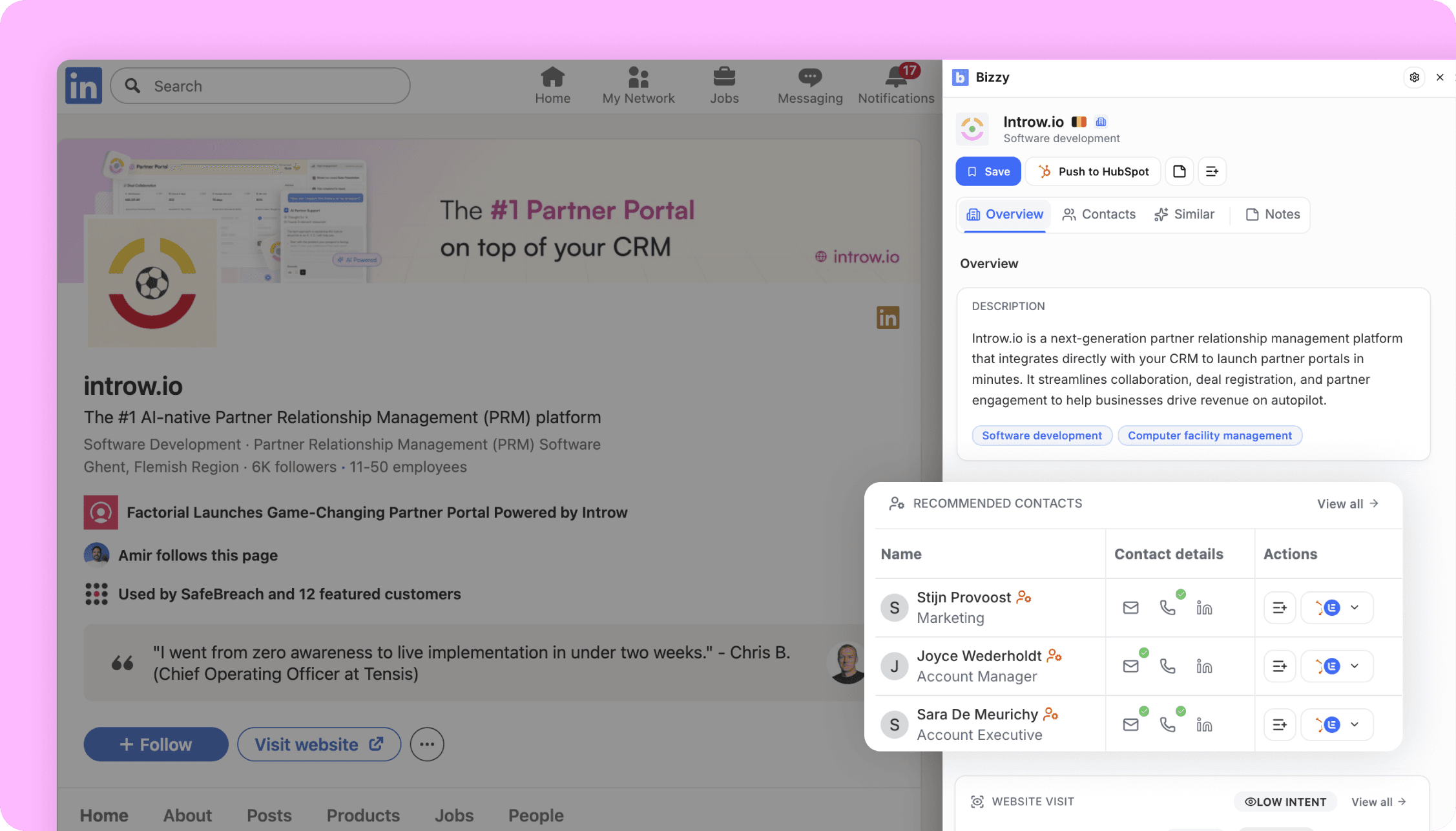
How to see if an account is worth pursuing, before a single email goes out
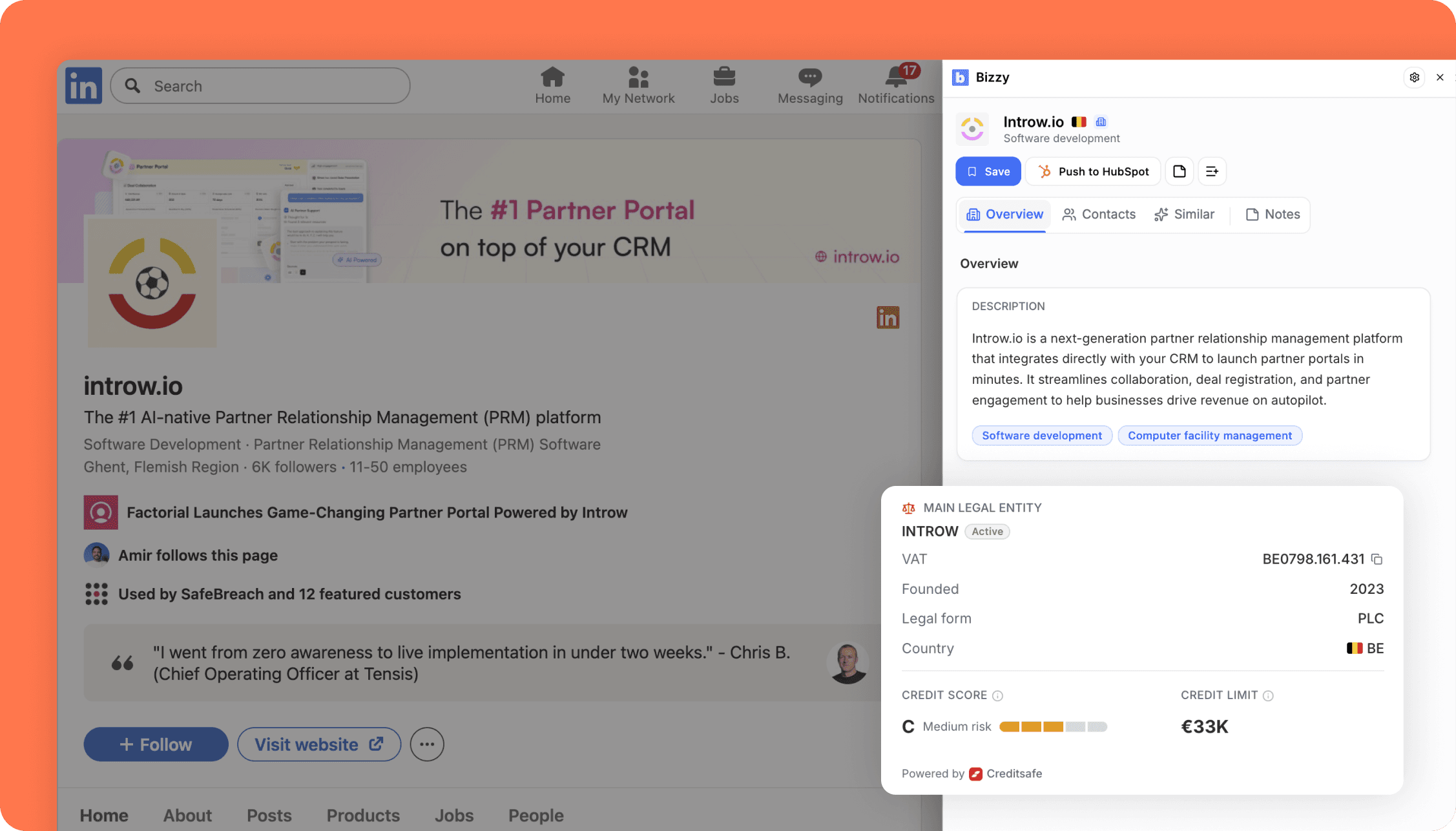
This is the part of the extension we're proudest of. A credit score and credit limit, drawn from European registries, sit right next to the firmographics on whatever company is on screen. Add real financials, 2025 revenue and net profit, and it becomes possible to judge whether an account is worth pursuing and able to pay before spending a minute on outreach. Most teams make that call far too late, if they make it at all, and no other extension puts European credit data this close to the workflow.
The people behind the account, without leaving the page
Open a person and the panel shows their role, seniority, department and official company roles, director or permanent representative, for example, pulled straight from the registry. A verified work email or mobile number reveals in one click, and from there a contact can be saved to a list or pushed to HubSpot, all without leaving the page.
How one good account tends to turn into a handful more
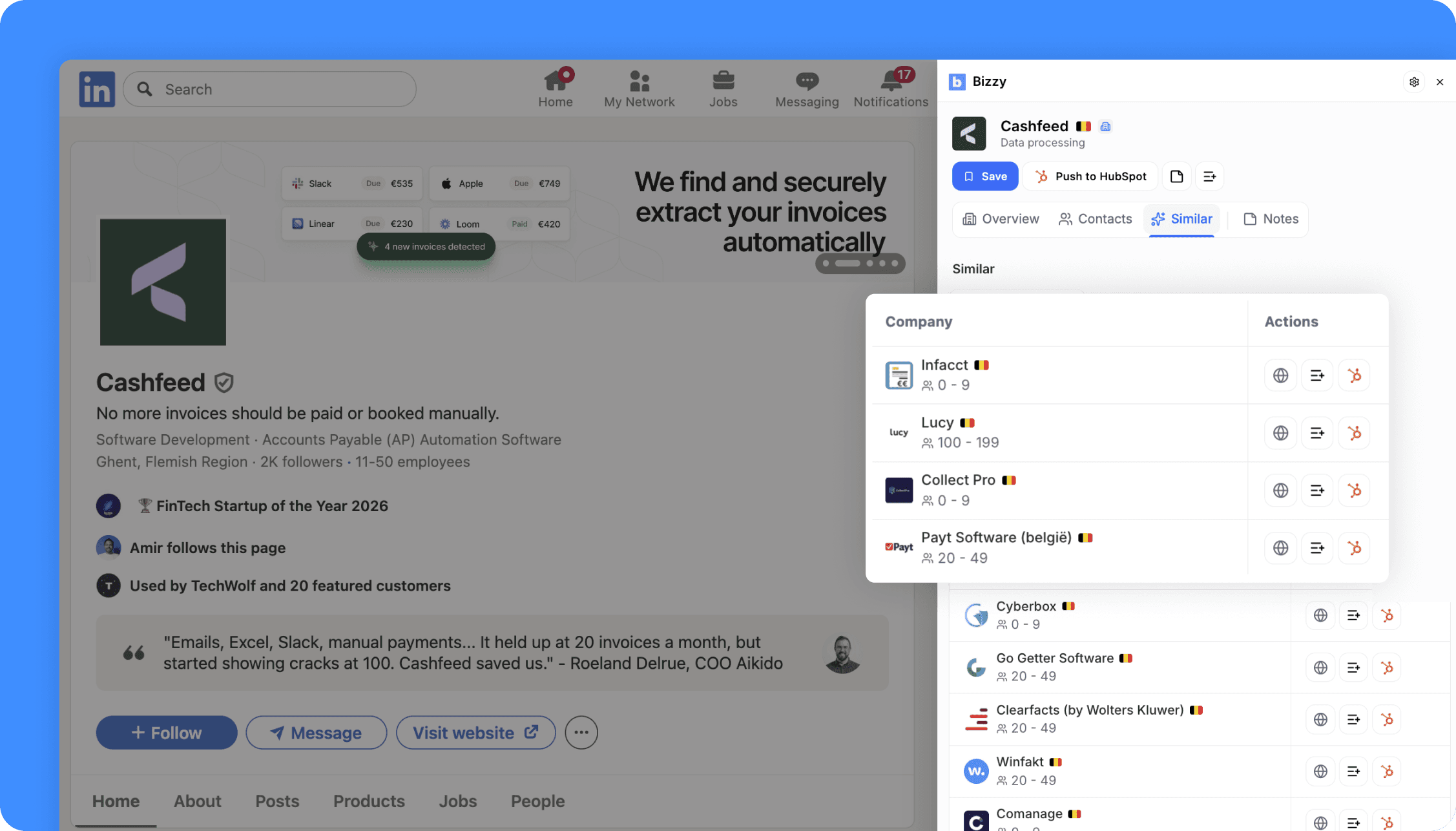
Open any account that looks promising and the Similar tab suggests more companies like it, each one addable to a list in a click. A single strong prospect quietly becomes a handful of new targets, without a new tab or a new search. Research stops being a cost and starts compounding into pipeline while the work is already happening.
Why European data changes what "verified" actually means here
All of this sits on Bizzy's European data, with Belgian company data from the official registers and other European countries covered through Creditsafe data. Most extensions in this category bolt a US-centric database onto the browser, which tends to be thin exactly where European teams sell. This one is built the other way around, deep where it counts, down to the credit and financial data that answers whether an account is worth the time in the first place.
How much of it there is to use
There's no daily view limit. The extension runs on the credits already in a Bizzy account, so usage scales with the plan rather than an arbitrary cap on how many companies can be looked up in a day.
We spent a long time trying to make this the version of a prospecting extension we'd actually want open all day, and we think it holds up against anything else in the category.
You can do all of this with Bizzy's browser extension free to try on Chrome or Edge.